How to find your LEI (and check if it’s active): step-by-step verification
Many UK organisations only think about their Legal Entity Identifier when a bank, broker, trading venue, or reporting platform asks for it. That is often the moment when a simple question becomes urgent: is the LEI still active?
The good news is that checking an LEI is usually quick. The most reliable place to verify it is the Global Legal Entity Identifier Foundation’s public LEI Search, which is free to use and does not require registration. If you want a faster read of the same practical details, some lookup pages also show whether an LEI is active and when it is due for renewal.
Why checking an active LEI status matters
An LEI is more than a reference number. It connects a legal entity to verified reference data, helping counterparties and market participants identify who they are dealing with. When a transaction depends on accurate entity data, an outdated or unclear record can cause avoidable delays.
There is also an important distinction that is easy to miss. An LEI record can show that the entity status is active, while the record also has its own registration status and renewal timing. In other words, checking whether an LEI is “active” should not stop at a quick glance. A proper check means reading the status fields together.
That small extra step can save a lot of last-minute admin.
The best source for LEI verification: GLEIF’s Global LEI Index
If you want the authoritative answer, start with GLEIF. Its Global LEI Index brings together current and historical LEI records in one central public source. Through the web-based LEI Search tool, any interested party can search the complete LEI data pool free of charge and without creating an account.
This matters because the GLEIF search results expose the Entity Status field alongside Level 1 reference data. Level 1 data answers the basic “who is who?” question, covering details like the entity’s legal name, registered address, and country. That gives you a practical way to confirm both identity and status in the same place.
If the entity name is common, GLEIF’s search can also be filtered by data fields such as country or legal form codes. That is useful when you are dealing with group entities, charities with similar names, or trusts and pension arrangements that can be harder to identify from name alone.
Step-by-step LEI verification using LEI Search
The process is straightforward, even if you have never checked an LEI before. You can search by the 20-character LEI itself, or by the legal entity’s registered name if you do not have the code to hand.
- Open LEI Search: Use GLEIF’s public search tool.
- Enter the LEI or legal name: Paste the full LEI if you have it, or search by the organisation’s formal registered name.
- Refine the results: Apply filters like country or legal form if several similar entries appear.
- Open the record: Review the entity details shown in the result page.
- Check the Entity Status: Look for whether it is marked ACTIVE or INACTIVE.
- Review the rest of the record: Confirm the legal name, country, and other reference data match the entity you expect.
If you are searching by name, be careful to use the registered legal name rather than a trading name or abbreviated brand name. A slight difference in punctuation or legal suffix can affect the results.
If you already have the LEI number, the process is faster and more precise. An LEI is unique to one legal entity, so a direct code search should bring up the correct record immediately.
What ACTIVE and INACTIVE mean in LEI data
GLEIF’s data model gives these terms specific meanings, and they are worth reading literally.
An entity marked ACTIVE means that, at the last report or update, the legal entity was reported as legally registered and operating. An entity marked INACTIVE means it is no longer legally registered and and/or operating. That can happen after closure, merger, acquisition, or a finding that the entity was not legitimate.
Those definitions help, but they do not tell the full practical story on their own. When checking whether an LEI is usable for a financial or reporting purpose, it is sensible to look at a few related fields as well.
| Field in the LEI record | What it tells you | Why you should check it |
|---|---|---|
| Entity Status | Whether the legal entity is ACTIVE or INACTIVE | Confirms whether the entity is still legally registered and operating |
| Registration Status | The status of the LEI registration, often shown as ISSUED on active records | Helps confirm that the LEI record itself is live in the system |
| Legal name and country | The core identity details of the entity | Makes sure you are looking at the right organisation |
| Corroboration level | Whether the record has been matched against source data, sometimes shown as FULLY_CORROBORATED | Gives added confidence in the quality of the record |
| Next renewal date | The date by which the LEI should be renewed | Helps you spot whether action is due soon |
That final column is where many quick checks fall short. A record may point to an active entity, yet still need attention because the renewal date is approaching.
Using an LEI lookup page to check status and renewal timing
A public index is ideal for an official verification. A lookup page can be ideal for speed.
Some LEI lookup tools present the same practical data in a very readable format. LEI Service’s lookup pages, for example, show whether an LEI is active and display the next renewal date. Sample lookup results also show fields such as ACTIVE, ISSUED, and FULLY_CORROBORATED, which makes a fast status check easier for users who do not want to parse raw data fields.
That can be useful when the question is not only “does this entity have an LEI?” but also “is it still current enough for what we need to do next?”
After checking the record, pay attention to these items:
- Entity Status
- Registration Status
- Legal name
- Country
- Next renewal date
- Corroboration level
A quick screen that shows these fields together often gives the clearest answer in under a minute.
Common reasons an LEI is hard to find
Not every failed search means the LEI has a problem. In many cases, the issue is simply how the search was entered.
A legal entity may be registered under a name that differs slightly from the one used in everyday business. Charities, pension schemes, wills, and trusts can be especially prone to naming variation. If a firm has gone through a merger or acquisition, the historical record may also point you towards an inactive entity while a successor entity has a different LEI.
If the first search does not work, try a more methodical check:
- Use the formal legal name: Search the registered name rather than the trading name.
- Check the country filter: This helps when several entities share similar names.
- Look for corporate changes: Mergers, closures, and acquisitions may explain an INACTIVE result.
- Verify the LEI digits carefully: One wrong character is enough to miss the correct record.
- Review the renewal timing: A record can be found and still need action soon.
A careful search is usually enough to clear up the issue.
How to read a record without mixing up status fields
This is where many organisations lose time. They see one positive status and assume everything is fine, or they see a date and assume the LEI has expired without checking what that date refers to.
The safest approach is to treat the LEI record as a small status summary rather than a single label. Read the entity status first, then the registration status, then the renewal timing. If all three are consistent with what you expect, you can be far more confident that the record is in good order.
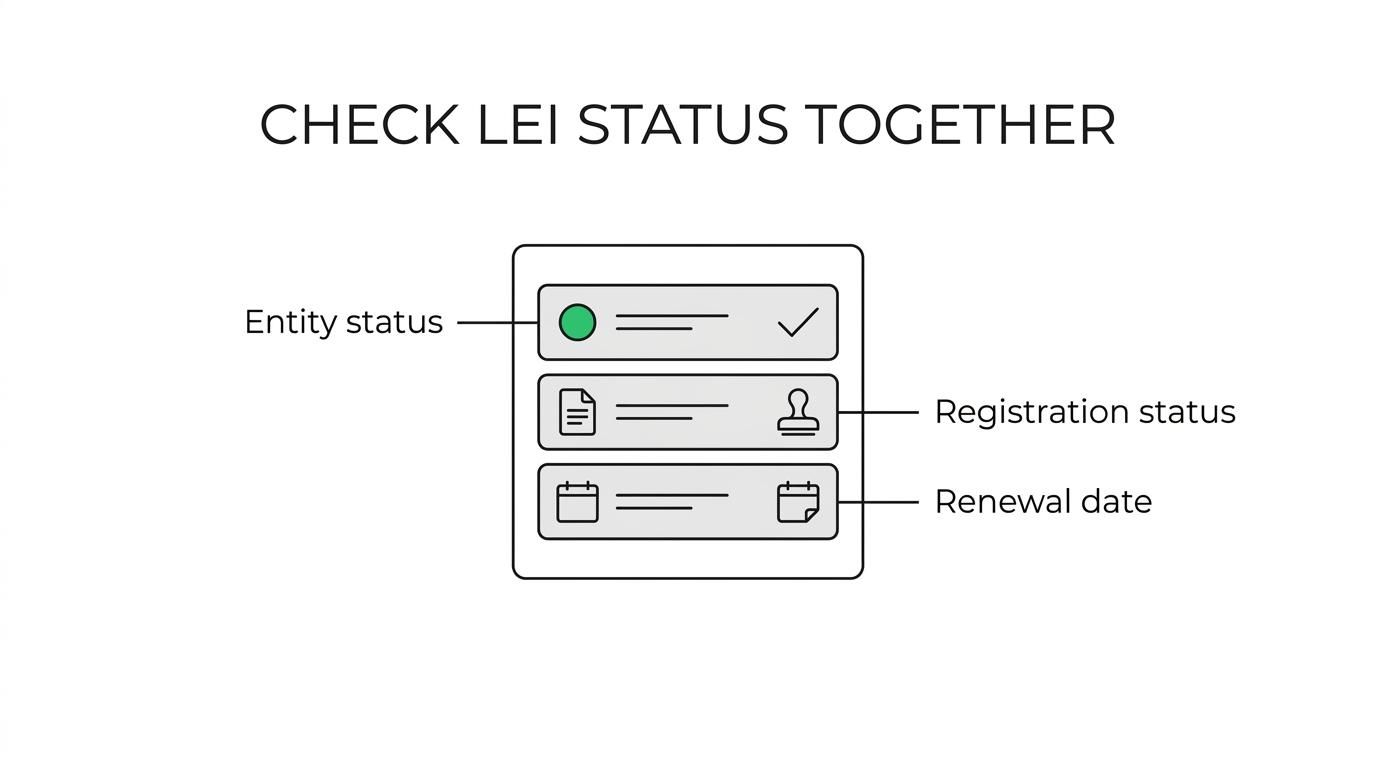
A practical example helps. If the record shows the entity as ACTIVE, the registration status as ISSUED, and a next renewal date in the future, that is generally the kind of result you want to see before moving on with a transaction or compliance task.
What to do if the LEI is inactive or close to renewal
If the record is marked INACTIVE, the first question is whether the legal entity itself has changed status. If it has been closed, merged, or otherwise ceased operating, the LEI record may simply be reflecting that reality correctly.
If the entity is still operating but the record needs updating or renewing, action should be taken promptly. Delays often appear at the least convenient point, usually when a transaction, filing, or onboarding process is already under way.
Options typically include:
- renewing an existing LEI
- transferring the LEI to another registration agent and renewing it
- correcting or updating reference data
- arranging support for bulk or assisted applications where several entities are involved
For UK entities that want a simple route, LEI Service offers registration, renewal, transfer and renewal, assisted applications, and bulk orders, with English-speaking phone and email support. Its published service information also points to fast processing, with standard validation typically taking from 1 to 48 hours and VIP delivery available for qualifying orders placed before 5pm.
A sensible routine for future LEI checks
The easiest LEI problems to fix are the ones spotted early. If your organisation trades, files reports, or deals regularly with counterparties that ask for an LEI, it makes sense to check the record before each important deadline rather than on the deadline itself.
A simple routine works well:
- Before a transaction: Confirm the LEI matches the entity and review the status fields.
- Before reporting: Check whether the next renewal date is approaching.
- After a corporate change: Re-check the record if there has been a merger, name change, or restructuring.
- At set intervals: Add LEI verification to regular compliance reviews.
That habit turns LEI verification from a last-minute scramble into a quick, controlled check.
If you only need one takeaway, make it this: use GLEIF’s public LEI Search as the main source for status verification, then use a clear lookup page to confirm renewal timing and record details when speed matters.